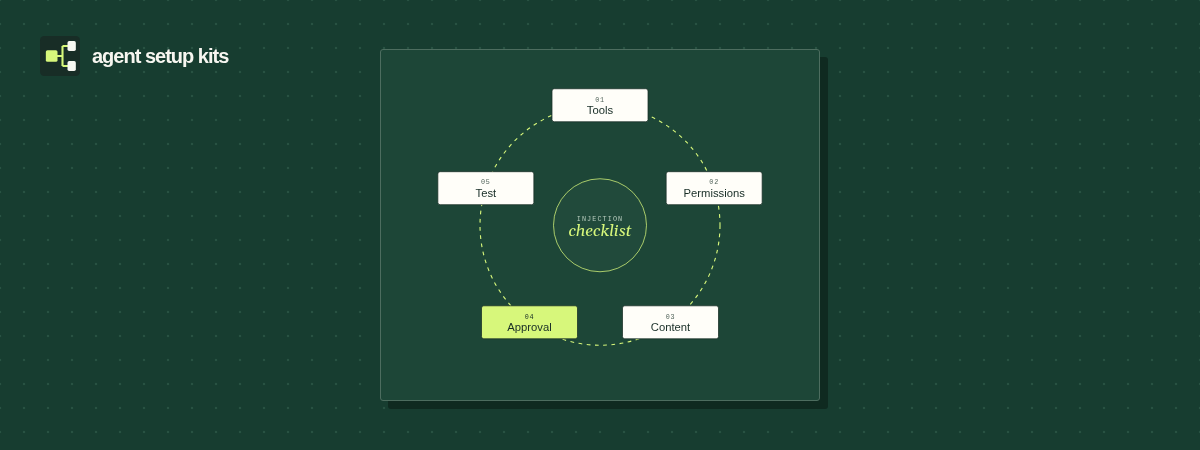
You can't fully prevent prompt injection, so set your agent up to limit what an injected instruction can do: give it fewer tools, the narrowest permissions, clearly marked external content and a human approval step for risky actions. That is the core of OWASP's 2025 guidance, and the checklist below turns it into setup steps.
OWASP is blunt about the limits. Its LLM01:2025 Prompt Injection entry says that, given how generative models work, "it is unclear if there are fool-proof methods of prevention for prompt injection." The practical goal is reducing the blast radius.
Why agents raise the stakes
A chatbot that gets injected says something wrong. An agent that gets injected can do something wrong, because it has tools.
OWASP splits the problem in two:
- Direct injection: the user's own input changes the model's behaviour.
- Indirect injection: the model reads external content, such as a web page or a file, that carries instructions it then follows.
Agents read a lot of external content: pages they browse, issues and pull requests they review, documents they retrieve. OWASP also notes that injected text doesn't need to be visible to a human, only parsed by the model, and that images can carry hidden instructions.
The companion entry, LLM06:2025 Excessive Agency, names the root causes that turn an injection into damage: excessive functionality, excessive permissions and excessive autonomy. Each maps to a setup decision you control.
What an attack looks like
OWASP lists nine scenarios. Three show the agent risk clearly:
- Indirect injection: a user asks an LLM to summarise a web page with hidden instructions, which make it insert an image linking to an attacker's URL and leak the private conversation.
- Poisoned retrieval: an attacker edits a document in a repository a RAG application uses, and the planted instructions alter the answers users get.
- Direct injection with tools: an attacker tells a support chatbot to ignore its guidelines, query private data stores and send emails.
The LLM06 entry adds a worked example: a mail-summarising assistant whose plugin can also send mail. A malicious incoming email tricks it into scanning the inbox for sensitive information and forwarding it to the attacker.
The checklist
1. Tools: offer only what the job needs
- List every tool or MCP server the agent can call. Remove any it doesn't need for this job, including ones left over from testing.
- Prefer narrow tools over open-ended ones. OWASP's examples of open-ended tools are "run a shell command" and "fetch a URL".
- If a tool comes in toolsets, enable only the read toolsets you need.
In our kits: the GitHub MCP kit enables only read toolsets (context, repos, issues, pull requests). Writes stay off until you turn them on.
2. Permissions: least privilege at the credential, not the prompt
- Give each tool its own credential with the smallest scope that works, such as read-only tokens or a read-only database role.
- Act in the user's context where possible (OAuth with minimum scope) rather than through a shared, high-privilege account.
- Enforce authorisation in the downstream system. OWASP calls this "complete mediation": don't rely on the model to decide whether an action is allowed.
A system prompt saying "never delete files" is a request. A token that can't delete files is a control.
3. Content: keep untrusted input separate and marked
- Clearly separate and label external content (web pages, retrieved documents, tool output) so it is treated as data, not instructions. This is OWASP's "segregate and identify external content" mitigation.
- State the agent's role and limits in the system prompt, and tell it to ignore attempts to change its core instructions.
- Isolate browsing. The Playwright MCP kit runs the browser with
--isolated, which drops cookies, logins and storage when the browser closes, so a hostile page doesn't land in a signed-in session.
4. Output: validate before anything acts on it
- Define the output format you expect and check it with deterministic code before using it.
- Filter outputs for sensitive categories, such as secrets or unexpected outbound links, before they're rendered or sent.
- For remote MCP servers on Streamable HTTP, implement the spec's transport rules: validate
Origin, bind local servers to127.0.0.1and authenticate every connection (MCP spec, 2026-07-28).
5. Approval: a human signs off on high-impact actions
- Require human approval for anything privileged or hard to undo: sending messages, posting, deleting, pushing code, spending money.
- Put the approval step in the tool or downstream system, not only in the prompt.
- Log tool calls and rate-limit risky ones. OWASP notes these don't prevent excessive agency but limit the damage and help you spot it.
6. Test: attack your own setup
- Run adversarial tests that treat the model as an untrusted user, and check whether your trust boundaries and access controls hold.
- Include indirect cases: a test page, issue or document with planted instructions.
- Include obfuscated cases. OWASP lists other languages, Base64 and emoji as ways to slip past filters.
- Re-test whenever you add a tool or widen a permission.
A quick self-check
Before you turn an agent on, answer three questions:
- If the agent read a malicious page right now, what is the worst tool call it could make?
- Would that call succeed with the credentials it holds?
- Would a human see it before it took effect?
If the answers are "something bad", "yes" and "no", fix the permissions or add an approval step before you change the prompt.
The takeaway
Treat prompt injection as a given and design for containment. Fewer tools, narrow credentials, marked external content and human approval on risky actions do more than any prompt wording, because they still hold when the model is fooled.
Next step: start from kits that already apply these limits, like the read-only GitHub MCP kit, or find an agent for the job.
Sources and credits
All sources checked 28 Oct 2026.
- OWASP Gen AI Security Project, LLM01:2025 Prompt Injection: https://genai.owasp.org/llmrisk/llm01-prompt-injection/
- OWASP Gen AI Security Project, LLM06:2025 Excessive Agency: https://genai.owasp.org/llmrisk/llm062025-excessive-agency/
- Model Context Protocol specification 2026-07-28, Streamable HTTP: https://modelcontextprotocol.io/specification/2026-07-28/basic/transports/streamable-http
- Agent Setup Kits, GitHub MCP and Playwright MCP kits (linked above)
This guide is independent and not affiliated with or endorsed by OWASP or the Model Context Protocol project. Found something out of date? Tell us through submit. How this site checks claims is on verification.
Good setups, worth keeping. Request email updates on the home page, then confirm by email. No subscription starts until you confirm.
On this site
Part of: How do I keep secrets out of agents?