Four GitHub tools can put an AI review on your pull requests: PR-Agent, OpenAI's Codex Action, Anthropic's Claude Code Action and Google's Gemini CLI Action. All four action repos carry an open-source license. They differ most in who is allowed to trigger them, what the workflow may write, and how their own examples pin versions. We read each project's docs and ran an audit script over each one's example review workflow.
The AI writes review comments. A person with write access decides when it runs and whether to act on what it says.
The four tools (checked on 2026-10-30)
- PR-Agent: MIT, release v0.49.0. Runs as a Docker action with commands such as review and improve. Its docs include a section on using local models through Ollama.
- Codex Action: Apache-2.0, tag v1.13. Runs Codex CLI (Apache-2.0) with your prompt and an OpenAI key.
- Claude Code Action: MIT, release v1.0.265. It installs Claude Code, whose own license file says "All rights reserved" and points to Anthropic's commercial terms. The action is open source; the agent it runs is not.
- Gemini CLI Action: Apache-2.0, release v0.1.22 from April 2026. Runs Gemini CLI (Apache-2.0). Its
gemini_cli_versioninput defaults to "latest".
Based on PR-Agent, by the PR-Agent contributors; Codex Action, by OpenAI; Claude Code Action, by Anthropic; and Gemini CLI Action, by Google. Licenses as listed above.
The setup at a glance
- Trigger: a pull request, or a comment from someone with write access.
- Permissions: the AI step reads the code; posting comments needs
pull-requests: write. Keepcontents: writeout of review jobs. - Output: review comments on the pull request.
- Human approval: only people with write access can trigger a run, and a person decides whether to merge or change anything. In the Gemini example, a plan only runs after a maintainer comments
@gemini-cli /approve.
Steps
- Pick the tool whose model provider you already use. Each needs that provider's key or login, except PR-Agent with a local model.
- Start from the project's own example workflow, not a blog copy.
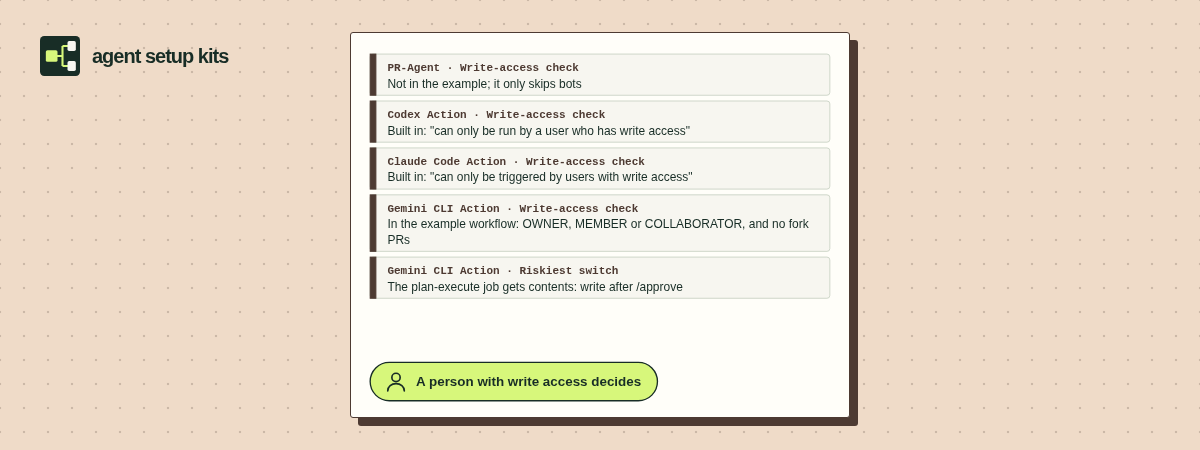
- Check who can trigger it. Codex and Claude check write access inside the action. Gemini's example checks it in the workflow. PR-Agent's example only filters out bots.
- Keep the AI step read-only. Give write access only to the step that posts the comment.
- Pin the action to a commit SHA, and pin the CLI version where there is an input for it.
- Have a person read the first reviews before anyone relies on them.
What our check showed
We ran a small script over each project's example review workflow. It lists the triggers, each job's permissions, any if: gate, and how each action is pinned.
| PR-Agent | Codex Action | Claude Code Action | Gemini CLI Action | |
|---|---|---|---|---|
| Example triggers | pull_request, issue_comment | pull_request | pull_request | PRs, issues, comments (dispatch) |
| Write-access check | Not in the example; it only skips bots | Built in: "can only be run by a user who has _write_ access" | Built in: "can only be triggered by users with write access" | In the example workflow: OWNER, MEMBER or COLLABORATOR, and no fork PRs |
| AI step permissions | contents read, issues and pull-requests write | contents read; a separate job posts the comment | contents read, pull-requests write, id-token write | contents read, issues and pull-requests write, id-token write |
| Example pinning | @main branch | @v1 tag | @v1 tag | Helper actions by SHA, the action by @v0 tag |
| Riskiest switch | pull_request_target gives fork PRs access to secrets | safety-strategy: unsafe lets Codex read the key in memory | allowed_non_write_users: "bypasses security checks" | The plan-execute job gets contents: write after /approve |
Codex's example was the tightest: the AI job could only read, and a second job with write access posted its final message. PR-Agent's own SECURITY.md recommends pinning its Docker image by digest, which its quick-start example does not do.
Things to know
- Pull request text and repo files are untrusted input. Codex's security page lists files such as
AGENTS.mdfrom a pull request as part of "the untrusted input surface". - Fork pull requests get no secrets under
pull_request. Switching topull_request_targetgives them secrets. PR-Agent's docs warn not to build or run fork code in that job. - Claude's
show_full_outputcan print tool results that "may contain secrets" into public Actions logs. Leave it off. - Allowing all bots is risky on public repos. Claude's docs warn that with
allowed_botsset to'*', any outside GitHub App that can comment or open issues "can invoke this action with a prompt it controls". - An AI review is a second reader, not an approval. Keep your branch protection and human review.
Takeaway
Any of the four can review pull requests. Choose by model provider, then check three things: who can trigger it, what the AI step can write, and whether the action and CLI are pinned. In our check, Codex and Claude enforced write access inside the action, Gemini's example did it in the workflow, and PR-Agent's example left it to you.
Next step: open your current review workflow, confirm that only people with write access can start it, and pin the action to a commit SHA.
How we check the tools we list is on our verification page.
Good setups, worth keeping. Request email updates on the home page, then confirm by email. No subscription starts until you confirm. Or find an agent for the job.