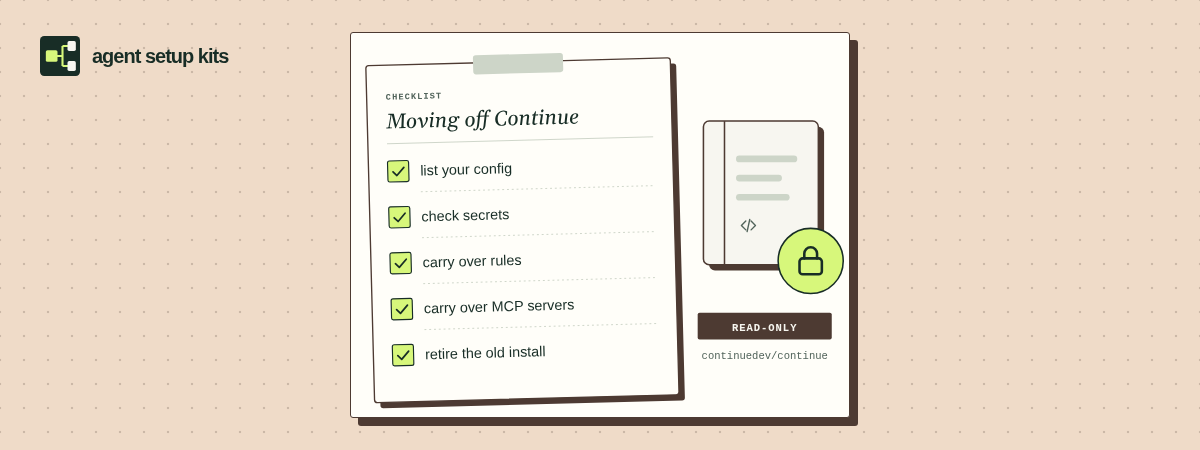
Continue's GitHub repository now says it "is no longer actively maintained and is read-only for all users." If you use Continue, list what you configured, carry your rules and MCP servers to the tool you pick next, and then remove the old install and any keys it alone used.
There's no emergency. Plan the move on your own schedule, but don't wait for fixes that aren't coming.
What changed (checked on 2026-10-28)
From the Continue README:
- The repository is marked no longer actively maintained and read-only.
- The team did a "final 2.0.0 release" of the VS Code extension, CLI and JetBrains plugin, which removed anonymous telemetry and pulled out authentication.
- The code stays under the Apache-2.0 licence, and the README says the team hopes it "continues to serve as a foundation for others."
Other facts we checked: the last commit on the main branch is dated 2026-07-21, the releases page shows VS Code tags v2.0.0-vscode and v2.1.0-vscode both dated 2026-06-19, and the @continuedev/cli npm package was last published as 1.5.47 on 2026-06-18.
Based on Continue, by Continue Dev, Inc. and contributors.
Why move at all
Your current install keeps working for now. The risk is what happens next: model providers change their APIs, editors update, and security issues get found. A read-only repository won't ship fixes for any of that. A coding agent reads your code and can run commands, so it's the kind of tool you want maintained.
You can also fork it, since Apache-2.0 allows that. A fork is a new project with new maintainers, so judge it like any other tool: check who maintains it and how recently it shipped.
Step 1: List what you set up
Before you change anything, write down what Continue is doing for you. From the configuration docs and related pages:
- User config:
~/.continue/config.yamlon macOS and Linux, or%USERPROFILE%\.continue\config.yamlon Windows. Older setups may useconfig.jsonin the same place, and some useconfig.tsfor programmatic changes. - Project rules: a
.continue/rulesfolder at the top of a workspace, holding Markdown rule files (rules docs). - MCP servers: a
.continue/mcpServersfolder in the workspace, or anmcpServerssection in config (MCP docs). - Development data: the docs say Continue saves development data to
.continue/dev_dataon your machine by default, and thedatasection ofconfig.yamlcan send it to other destinations (development data docs).
Copy these into a private folder or a private repository. Don't paste them into chats or tickets until you've checked them for keys.
Step 2: Find every key it uses
Go through your config and MCP files and list each API key or token they reference. Continue's MCP docs show secrets referenced as ${{ secrets.NAME }}, for example a GitHub personal access token for the GitHub MCP server.
For each one, note:
- which service it belongs to
- whether anything else uses it
- what access it has
Any key used only by Continue should be revoked once you've moved, at the provider's own settings page. If a token had broad access, give the new tool a narrower one rather than reusing it.
Step 3: Check where development data went
If your config.yaml has a data section, read it. It tells you whether development data went somewhere other than your machine, such as an HTTP endpoint. If it did, decide with whoever runs that endpoint what to keep. Then look at the local .continue/dev_data folder and decide whether to archive or delete it. It's your data, so this is your call, not a default.
Step 4: Carry over rules and MCP servers
Rules. Your .continue/rules files are plain Markdown, so the instructions inside them carry over easily. Many coding agents read a project instructions file, such as the AGENTS.md file our Codex CLI kit uses. Move the rules that still matter into the format your new tool expects, and delete any that were Continue-specific.
MCP servers. Continue's MCP docs say you can copy JSON MCP configs from Claude Desktop, Cursor or Cline into .continue/mcpServers/ and Continue picks them up. The reverse is usually a short edit. Take the server command, arguments and environment variable names to your new tool's MCP config. Don't copy key values into files you commit.
Re-check every server's access as you move it. A migration is a good moment to drop servers you no longer use and switch others to read-only where they offer it.
Step 5: Choose the replacement, on a test repo
Pick a candidate or two and try each on a test repository before your real one. Our kits cover several maintained options, including:
- the Codex CLI kit, which keeps OpenAI's terminal agent inside one workspace and sets when it must ask
- the GitHub MCP with Claude Code kit, for read-only GitHub access from a local agent
You can also browse the full library.
For each candidate, check:
- Approval step: does it ask before editing files or running commands, and can you keep it that way?
- Maintenance: recent releases and an active repository.
- Fit: does it work in your editor or terminal and with the model provider you already pay for?
The approval step for the whole move is yours: a person decides which tool replaces Continue after seeing it work on the test repo, not after reading a feature list.
Step 6: Retire Continue
Once the new tool is working:
- Uninstall the editor extension from your editor's extensions view.
- If you installed the CLI from npm, remove it with
npm uninstall -g @continuedev/cli. - Revoke the keys from Step 2 that only Continue used.
- Remove
.continuefolders from shared repositories if nothing reads them any more, in a reviewed pull request so teammates know.
Takeaway
Continue still runs, but it won't get fixes. Make a calm, planned move: list your config, account for every key, carry rules and MCP servers across, test the replacement on a test repo, then remove the old install and revoke what it alone used.
Next step: spend ten minutes on Step 1 today, so you know exactly what you're moving.
How we check the tools we list is on our verification page.
Good setups, worth keeping. Request email updates on the home page, then confirm by email. No subscription starts until you confirm. Or find an agent for the job.