Mem0 gives an assistant memory that lasts between chats: it pulls facts out of a conversation, stores them per user, and finds them again by meaning. We ran the open-source library with no key, using small local models. It kept users apart and refused a search with no user named. Two things need a person's attention: an old fact stayed next to the new one until someone deleted it, and a deleted memory's text stayed in Mem0's history file until a full reset.
The agent proposes what to remember. A person reviews the memory list and decides what gets deleted.
What Mem0 is (checked on 2026-10-30)
Mem0 is an Apache-2.0 memory layer for AI assistants. It comes as a Python and JavaScript library, a self-hosted server and a hosted platform. We tested the Python library mem0ai 2.2.1 from PyPI, which needs Python 3.10 or newer. The library alone needs no account.
The README describes a new memory algorithm that adds facts in one pass with "no UPDATE/DELETE", so "memories accumulate; nothing is overwritten." Its benchmark scores are for Mem0's hosted platform, and the README says open-source users should not expect identical numbers. We did not test the platform or the self-hosted server, which uses Docker.
Based on Mem0, by the Mem0 team and contributors.
The setup at a glance
- Trigger: a user says something worth remembering in a chat with the assistant.
- Permissions: writes to a local vector store folder and a local SQLite history file. With our settings, no network beyond the local Ollama server.
- Output: short memories tied to a
user_id, returned bysearchwith a score. - Human approval: a person reviews a user's memories with
get_all, deletes stale or sensitive ones by ID, and decides when a full reset is needed.
Step 1: Install and turn telemetry off
python3 -m venv .venv && . .venv/bin/activate
pip install "mem0ai==2.2.1" ollama
export MEM0_TELEMETRY=False
Telemetry is on by default and goes to PostHog, per telemetry.py. In our test, the default setting opened two outbound connections during a short add, search and delete run. With MEM0_TELEMETRY=False we saw none.
Step 2: Point it at local models and a folder you choose
from mem0 import Memory

m = Memory.from_config({
    "llm": {"provider": "ollama", "config": {"model": "qwen2.5:3b", "temperature": 0.1}},
    "embedder": {"provider": "ollama", "config": {"model": "nomic-embed-text"}},
    "vector_store": {"provider": "qdrant", "config": {
        "collection_name": "memories", "path": "./mem0-data",
        "embedding_model_dims": 768, "on_disk": True}},
    "history_db_path": "./mem0-data/history.db",
})
The qwen2.5:3b weights are under the "Qwen RESEARCH LICENSE AGREEMENT", for non-commercial use only; check the model card before any commercial use.
The Ollama LLM page and Ollama embedder page show each piece on its own, with an OpenAI key for the other half. Set both to Ollama to run with no key. Set a vector store path too, or Mem0 uses a folder under /tmp.
Step 3: Add, search, review, delete
m.add([{"role": "user", "content": "I'm vegetarian and allergic to peanuts."}], user_id="alice")
m.add("Alice lives in Porto now.", user_id="alice", infer=False)   # stored word for word
m.search("what food should I avoid", filters={"user_id": "alice"}, top_k=3)

for mem in m.get_all(filters={"user_id": "alice"})["results"]:
    print(mem["id"], mem["memory"])          # a person reads this list
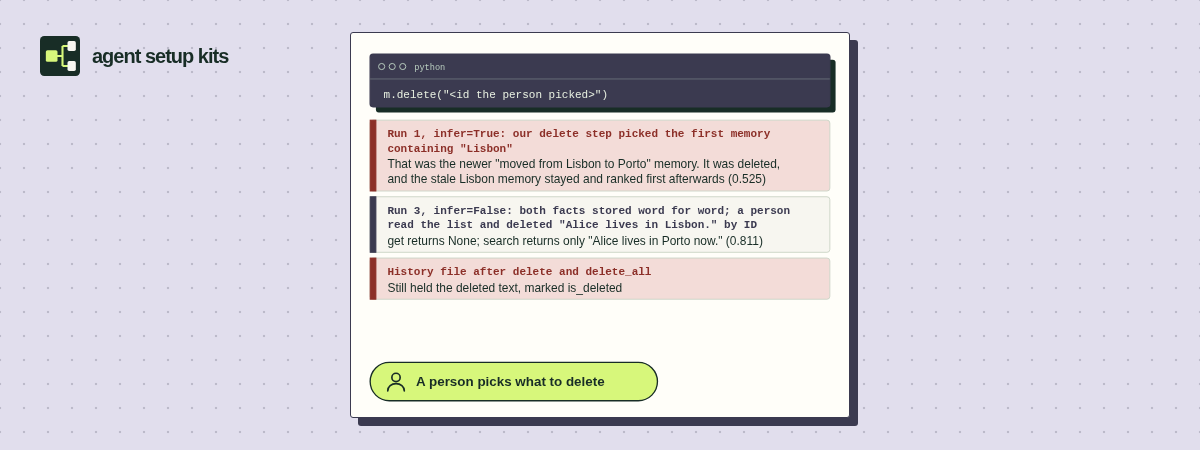
m.delete("<id the person picked>")
With infer=True, the default, an LLM decides what to store. With infer=False, Mem0 stores the text as given.
What our test showed
| Check | Result |
|---|---|
Chat about diet and meeting times, infer=True | Two memories: vegetarian with a peanut allergy; meetings after 10 AM. 51 seconds on CPU |
| Search "what food should I avoid" | The allergy memory first, score 0.557 |
| Same search for another user | Only that user's memory came back |
Search with no user_id | Refused: "filters must contain at least one of: user_id, agent_id, run_id" |
Run 1, infer=True: "I live in Lisbon", then "I moved, I live in Porto now" | Both kept, as rewritten by the LLM: "User lives in Lisbon and is a vegetarian with a peanut allergy" and "User moved from Lisbon to Porto". The Lisbon one ranked first for "where does she live" (0.526 vs 0.482) |
Run 1, infer=True: our delete step picked the first memory containing "Lisbon" | That was the newer "moved from Lisbon to Porto" memory. It was deleted, and the stale Lisbon memory stayed and ranked first afterwards (0.525) |
Run 2, infer=True, same Lisbon message in a fresh store | No memory stored that time |
Run 3, infer=False: both facts stored word for word; a person read the list and deleted "Alice lives in Lisbon." by ID | get returns None; search returns only "Alice lives in Porto now." (0.811) |
History file after delete and delete_all | Still held the deleted text, marked is_deleted |
reset() | History emptied, along with every user's memories |
Telemetry default vs MEM0_TELEMETRY=False | Outbound connections vs none seen |
The small 3B model gave different results for the same message across runs. A larger model may do better; we did not test one.
Things to know
- New facts do not replace old ones. Show users their memory list and let a person delete what is out of date.
- Delete by reading each memory's full text, not by keyword. With
infer=Truethe LLM wrote the new fact as "moved from Lisbon to Porto", so a match on "Lisbon" hit the current fact and kept the stale one. deleteremoves a memory from search, but its text stays in the history file. Treat that file as sensitive, and plan how to clear it for a deletion request.reset()clears it, but for every user.- Always pass a user, agent or run ID. Mem0 refuses a search without one.
- Keep secrets out of memory. Anything a user says can be stored.
- The README's quickstart has an agent sign up for a hosted key. You do not need that for the local library.
Takeaway
Mem0 runs locally with no key and keeps users apart. It does not tidy up old facts on its own, and deleting leaves a trace in the history file. Give a person a review list, a delete button and a plan for the history file.
Next step: run Mem0 against a test user, add one fact and then its correction, and check what your search returns before you connect a real assistant.
How we check the tools we list is on our verification page.
Good setups, worth keeping. Request email updates on the home page, then confirm by email. No subscription starts until you confirm. Or find an agent for the job.