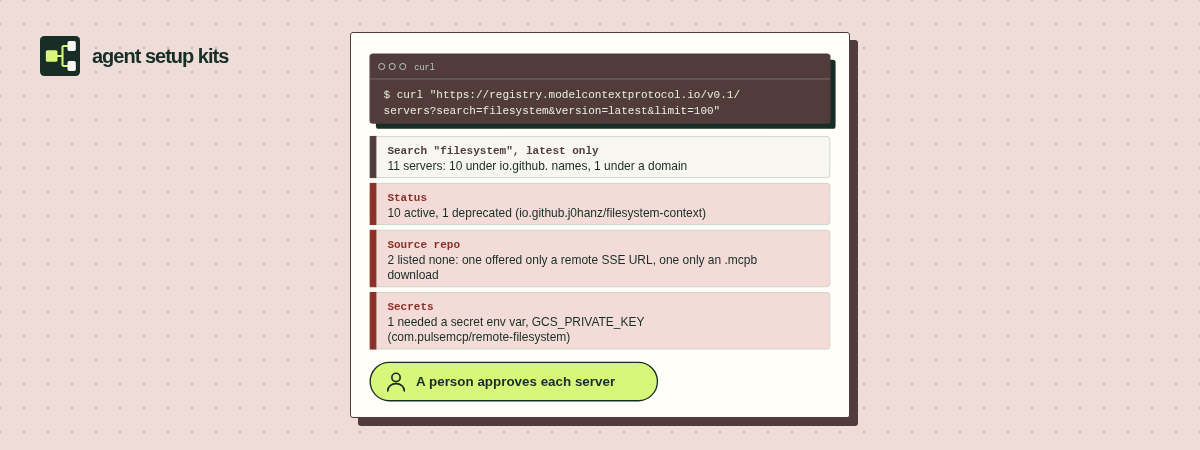
The MCP Registry is the official public list of MCP servers, and anyone can read it without an account or key. It confirms who owns a server's name. It does not check whether the server is safe. We searched it for filesystem servers, ran a short read-only vetting script over the results, and found a deprecated entry, two with no source repo and one that asks for a cloud private key.
The script gathers the facts. A person approves a server before it goes into any client config.
What the MCP Registry is (checked on 2026-10-30)
The MCP Registry stores metadata about MCP servers: a name, a version, and where to get the server, such as an npm or PyPI package or a remote URL. The about page says it is in preview and that breaking changes or data resets may occur before general availability. It also says the registry is not intended to be consumed directly by host applications. Those should use downstream registries, which the docs call aggregators. The licence is moving from MIT to Apache-2.0.
Based on the MCP Registry, by the MCP Registry Working Group and contributors.
The setup at a glance
- Trigger: you need an MCP server for a job, here file access.
- Permissions: read-only GET requests to the public API. Nothing is installed or run.
- Output: a short block per server with name, version, status, how the namespace was verified, repo, packages, transport and any secret env vars.
- Human approval: a person reads that output and the server's repo, then decides whether it goes into a client config.
Step 1: Know what the registry checks
Two checks happen at publish time, per the authentication docs and the quickstart:
- Namespace: a name starting
io.github.<user>/needs a GitHub login as that user. A domain name likecom.example/needs a DNS or HTTP challenge. - Package match: for npm, the
mcpNamefield inpackage.jsonmust match the server's name.
The moderation policy says to assume minimal-to-no moderation. It will not remove low-quality or buggy servers, or servers with security vulnerabilities. Security scanning is left to package registries and aggregators. When a server is removed, its status becomes deleted but its metadata stays readable.
Step 2: Search
curl "https://registry.modelcontextprotocol.io/v0.1/servers?search=filesystem&version=latest&limit=100"Per the OpenAPI spec, search is a substring match on the server name, and version=latest keeps one entry per server.
Step 3: Vet each result
Our script, Python standard library only, prints for each result:
ns = s["name"].split("/")[0]
kind = "GitHub account" if ns.startswith("io.github.") else "domain"
print(s["name"], "| v", s.get("version"), "| status:", meta["status"], "| namespace verified by:", kind)
print("   repo:", (s.get("repository") or {}).get("url", "none listed"))
secrets = [e["name"] for e in p.get("environmentVariables", []) if e.get("isSecret")]
For a server you like, check its version history and the package itself:
curl "https://registry.modelcontextprotocol.io/v0.1/servers/io.github.domdomegg%2Ffilesystem-mcp/versions"
curl https://registry.npmjs.org/filesystem-mcp/latest
The slash in the name must be encoded as %2F. With a plain slash we got a 404.
What our test showed
| Check | Result |
|---|---|
| Search "filesystem", latest only | 11 servers: 10 under io.github. names, 1 under a domain |
| Status | 10 active, 1 deprecated (io.github.j0hanz/filesystem-context) |
| Source repo | 2 listed none: one offered only a remote SSE URL, one only an .mcpb download |
| Secrets | 1 needed a secret env var, GCS_PRIVATE_KEY (com.pulsemcp/remote-filesystem) |
| Package version | 1 listed its npm package version as latest instead of a fixed number |
io.github.domdomegg/filesystem-mcp | 5 active versions; npm filesystem-mcp 1.3.0 has a matching mcpName and an MIT licence |
| Name with an unencoded slash | 404; with %2F, 200 |
None of this says whether a server's code is safe. It tells you who published it and what it will ask for, which is enough to pick what to read next.
Things to know
- A verified namespace proves who published the entry, not what the code does. Read the repo before you install.
- Treat "no repo listed", a remote-only URL and an unpinned package version as reasons to slow down.
- A secret env var means the server wants a credential. Give it a key scoped to the job, never your main one.
- Deprecated and deleted servers still show up through the API, so filter on status.
- The registry is in preview, so a script built on it may need changes.
Takeaway
Use the registry to find candidates and see who published them, then vet the repo, package and secrets yourself and have a person approve before any server reaches a client.
Next step: run one search for the job you have in mind and list, for each result, its status, repo and secret env vars.
How we check the tools we list is on our verification page.
Good setups, worth keeping. Request email updates on the home page, then confirm by email. No subscription starts until you confirm. Or find an agent for the job.