Elicitation lets an MCP server stop in the middle of a tool call and ask the person a question. We built a delete tool that asks first, with the MCP Python SDK 2.3.0, and called it 14 times with scripted answers: yes, no, decline, cancel, a malformed answer, no way to answer, and a file that does not exist. Only the 2 yes answers deleted the file.
The human step: a person reads the question the server sends and answers it. In this test a script answered in their place, so the test checks the server's handling of each answer, not how a person would choose.
What elicitation is
The MCP spec defines it as a request from server to client. The client shows a message and a small form, and the answer comes back as one of three actions: accept, decline or cancel. The spec says clients "MUST" provide "clear decline and cancel options", and that servers "MUST NOT use form mode elicitation to request sensitive information such as passwords, API keys, access tokens, or payment credentials."
The SDK docs describe two ways to ask. A "resolver" fills one tool argument by asking first, and the docs say it "works on every connection". The direct ctx.elicit() call, they say, only exists "for a client on a legacy connection (spec version 2025-11-25 or earlier)". On a 2026-07-28 connection, "the SDK returns the question from the call, and the client's next attempt carries the answer." We used a resolver.
The test
The server has one tool, delete_file. Its confirm argument is filled by a resolver that asks "Delete a.txt (21 bytes)?" with one yes/no field. If the file does not exist, the resolver answers itself and nothing is asked. The SDK came from PyPI; the source is on GitHub.
# An MCP server whose delete tool asks the person before it acts. MCP Python SDK 2.3.0.
import os
from typing import Annotated
from pydantic import BaseModel
from mcp.server import MCPServer
from mcp.server.mcpserver import (AcceptedElicitation, CancelledElicitation, DeclinedElicitation,
                                  Elicit, ElicitationResult, Resolve)

ROOT = "sample"
mcp = MCPServer("Files")

class Confirm(BaseModel):
    ok: bool

async def confirm_delete(name: str) -> Confirm | Elicit[Confirm]:
    path = os.path.join(ROOT, os.path.basename(name))
    if not os.path.exists(path):
        return Confirm(ok=False)                    # nothing to delete, no question
    return Elicit(f"Delete {name} ({os.path.getsize(path)} bytes)?", Confirm)

@mcp.tool()
async def delete_file(name: str, confirm: Annotated[ElicitationResult[Confirm], Resolve(confirm_delete)]) -> str:
    """Delete one file from the sample folder."""
    path = os.path.join(ROOT, os.path.basename(name))
    match confirm:
        case AcceptedElicitation(data=Confirm(ok=True)):
            os.remove(path)
            return f"deleted {name}"
        case AcceptedElicitation() if not os.path.exists(path):
            return f"no such file: {name}"
        case AcceptedElicitation():
            return f"kept {name}: answered no"
        case DeclinedElicitation():
            return f"kept {name}: declined"
        case CancelledElicitation():
            return f"kept {name}: cancelled"

if __name__ == "__main__":
    mcp.run()
The client starts the server over stdio for every call, writes a fresh a.txt, calls delete_file once, and checks whether the file is gone. It does this for each scripted answer, once with a legacy connection and once letting the SDK pick (it chose the 2026-07-28 protocol).
# Calls delete_file once per scripted answer and checks the folder after each call.
import asyncio, os, sys
from mcp import Client, StdioServerParameters
from mcp.types import ElicitResult

ANSWERS = {
    "accept yes": ElicitResult(action="accept", content={"ok": True}),
    "accept no": ElicitResult(action="accept", content={"ok": False}),
    "decline": ElicitResult(action="decline"),
    "cancel": ElicitResult(action="cancel"),
    "bad answer": ElicitResult(action="accept", content={"ok": "maybe"}),
}

async def one(label, mode, use_callback, name="a.txt"):
    open("sample/a.txt", "w").write("keep me unless asked\n")
    asked, version = [], "?"
    async def answer(context, params):
        asked.append(params.message)
        return ANSWERS[label]
    kwargs = {"mode": mode}
    if use_callback:
        kwargs["elicitation_callback"] = answer
    server = StdioServerParameters(command=sys.executable, args=["server.py"])
    try:
        async with Client(server, **kwargs) as client:
            version = client.protocol_version
            r = await client.call_tool("delete_file", {"name": name})
            text = " ".join(c.text for c in r.content if hasattr(c, "text"))
            out = f"error={r.is_error} {text[:90]}"
    except Exception as e:
        while isinstance(e, ExceptionGroup):                # report the error inside the task group
            e = e.exceptions[0]
        out = f"exception {type(e).__name__}: {str(e)[:90]}"
    gone = not os.path.exists("sample/a.txt")
    print(f"{mode:6} {version} {name} {label if use_callback else 'no callback':11} asked={len(asked)} deleted={gone} | {out}")
    if asked:
        print(f"       question: {asked[0]}")
    return gone

async def main():
    os.makedirs("sample", exist_ok=True)
    results = {}
    for mode in ["legacy", "auto"]:
        for label in ANSWERS:
            results[(mode, label)] = await one(label, mode, True)
        results[(mode, "none")] = await one("accept yes", mode, False)
        results[(mode, "missing")] = await one("accept no", mode, True, name="b.txt")
    deletes = sum(results.values())
    without_yes = sum(v for (m, l), v in results.items() if l != "accept yes")
    print(f"calls={len(results)} deletes={deletes} deletes without an accept-yes={without_yes}")

asyncio.run(main())#!/bin/sh
# Six answers to the same delete question, on a legacy and a current connection.
../v-mcp/bin/python client.py
ls sampleThe 14 calls took 7.9 seconds.
What happened
| Answer | Asked | Deleted | Result |
|---|---|---|---|
| accept, yes | yes | yes | deleted a.txt |
| accept, no | yes | no | kept a.txt: answered no |
| decline | yes | no | kept a.txt: declined |
| cancel | yes | no | kept a.txt: cancelled |
| accept, "maybe" | yes | no | error: answer did not match the form |
| client cannot answer | no | no | error: no elicitation capability |
| file missing | no | no | no such file: b.txt |
Both connection types gave the same rows, so the table covers all 14 calls.
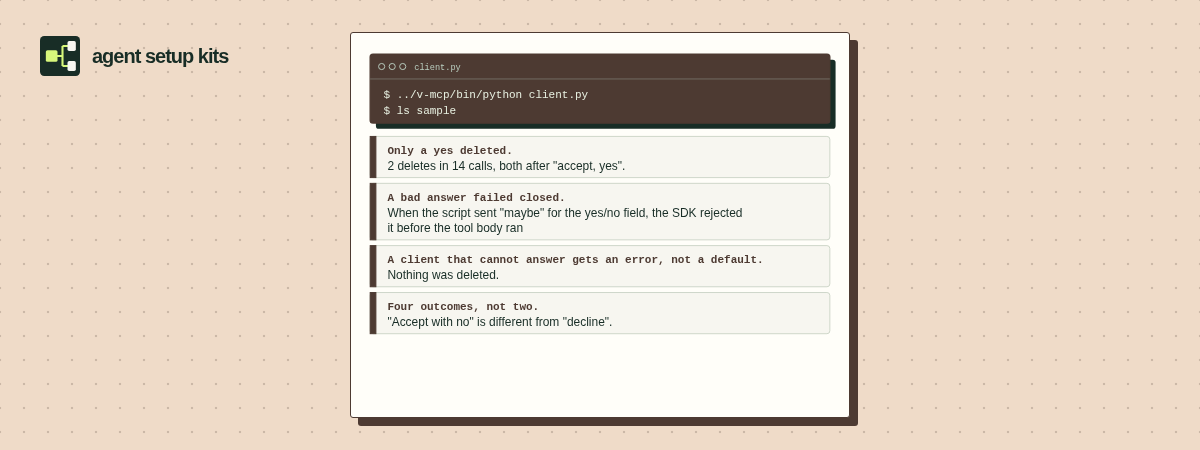
Only a yes deleted. 2 deletes in 14 calls, both after an accept with yes.
A bad answer failed closed. When the script sent "maybe" for the yes/no field, the SDK rejected it before the tool body ran. On the 2026-07-28 connection the log reads: "Resolver '__main__:confirm_delete' received an accepted elicitation whose content does not match the requested schema". The file stayed.
A client that cannot answer gets an error, not a default. With no answer handler, the call failed with "Client did not declare the form elicitation capability required by resolver". Nothing was deleted.
The resolver skipped the question when there was nothing to ask. For the missing file it returned on its own, and the SDK handed the tool an accepted answer, so the tool checks for the file before saying "answered no".
Four outcomes, not two. Accept with no is different from decline. The tool has to handle each one.
Our first versions of the client and server had faults the test caught: an error was printed only as "exception ExceptionGroup: unhandled errors in a TaskGroup (1 sub-exception)", and a branch for missing files was never reached. The evidence file lists those runs.
What this test does not show
- A real person answering. The answers were scripted. How clear the question is to a person was not tested.
- A model in the loop. No model chose to call the tool. The question goes to the client, not the model.
- URL mode. We did not test elicitation that sends the person to a web page.
- Other clients. Only the Python SDK client was used. Each host shows the question its own way.
What to set up
- Ask in the tool layer. Put the question on the tool argument, so a model cannot skip it.
- Handle all four answers. Treat anything but accept with yes as no.
- Make "no handler" a failure. A client that cannot ask should not get a silent yes.
- Say what will happen. Name the file and size, or the record and change, in the question.
- Never ask for secrets in a form. The spec sends those to URL mode.
- Test each answer. Script the client and count what changed on disk.
Takeaway
An MCP server can make its own delete wait for a yes. With the Python SDK's resolver, only the 2 yes answers in 14 calls deleted anything; no, decline, cancel, a malformed answer and a client that could not ask all left the file in place.
Next step: pick the one tool in your MCP server that changes or removes data, add a resolver that asks before it acts, and script a client through all four answers.
How we check the tools we list is on our verification page.
Good setups, worth keeping. Request email updates on the home page, then confirm by email. No subscription starts until you confirm. Or find an agent for the job.