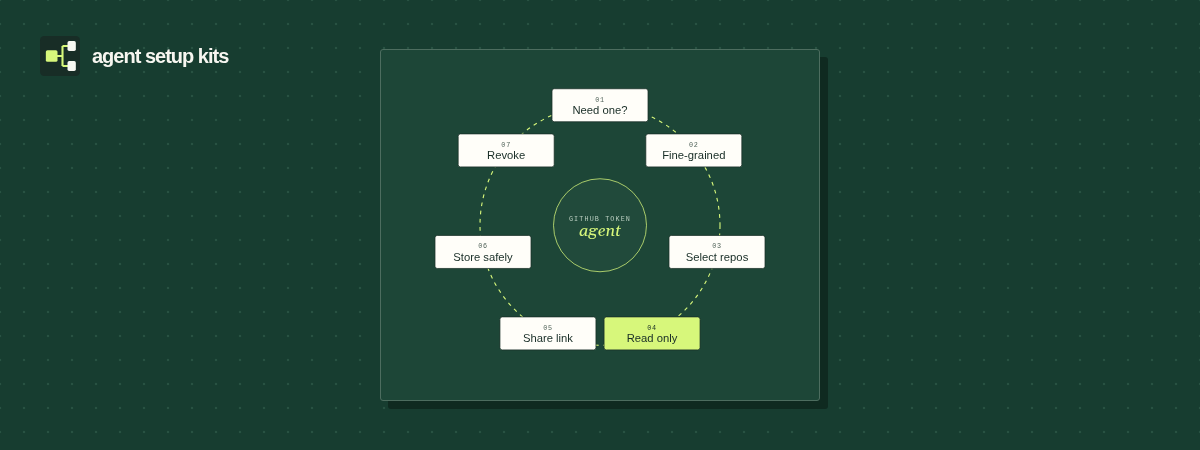
When an AI agent needs to reach GitHub with a personal access token, give it a fine-grained token limited to one resource owner, only the repositories it works on, read-only permissions and a short expiration. Never hand an agent a classic token, which GitHub says "can access every repository that you can access."
An agent can be talked into doing things you didn't ask for, so the token is the real boundary. This guide follows GitHub's Managing your personal access tokens page step by step.
Why the token matters more than the prompt
OWASP's LLM06:2025 Excessive Agency lists "Minimize extension permissions" as a core mitigation: limit the permissions an LLM tool has on other systems "to the minimum necessary in order to limit the scope of undesirable actions." It also says actions taken for a user should run "with the minimum privileges necessary."
GitHub's own rule sets the ceiling. A token has the same capabilities as its owner, "further limited by any scopes or permissions granted to the token." A token can never add access you don't already have. It can only take access away. That's exactly what you want when the thing holding it is an agent.
Our GitHub MCP kit for Claude Code puts it in five words: "Limit the token, not the prompt." Prompt instructions and read-only modes are useful layers, but anything the token can reach is in scope.
Step 0: check whether you need a personal token at all
GitHub's security guidance suggests looking for a safer option first:
- On the command line, use GitHub CLI or Git Credential Manager instead of a personal access token.
- In a GitHub Actions workflow, consider the built-in
GITHUB_TOKENinstead. - For organization work or long-lived integrations, GitHub says to use a GitHub App. Personal tokens are "intended to access GitHub resources on behalf of yourself."
If your agent is a local tool acting for you, such as a coding agent with a GitHub MCP server, a fine-grained personal token is usually the practical choice.
Fine-grained vs classic
GitHub recommends fine-grained tokens "whenever possible." The differences that matter for agents:
| Fine-grained | Classic | |
|---|---|---|
| Owner | One user or organization | Everything you can access |
| Repositories | Can be limited to specific repos | All repos in your orgs and account |
| Permissions | Specific, fine-grained permissions | Broad scopes |
| Org approval | Owners can require approval | Owners can restrict classic tokens |
Fine-grained tokens have gaps. Per GitHub, they can't yet contribute to public repos where you aren't a member, access multiple organizations at once, access Packages or call the Checks API, among others. If your agent truly needs one of those, that's a reason to rethink the setup before reaching for a classic token.
Step by step: create the agent's token
From the GitHub docs, in Settings → Developer settings → Personal access tokens → Fine-grained tokens → Generate new token:
- Name it for the agent. Use a name that says which agent and machine it belongs to, and add a description of its purpose. You'll thank yourself when it's time to revoke.
- Set an expiration. GitHub allows infinite lifetimes but "highly recommend[s]" an expiration. Pick something short and renew on purpose.
- Pick the resource owner. The token can only access resources owned by that user or organization.
- Choose "Only select repositories." GitHub says to "choose the minimal repository access that meets your needs." Note that every token always includes read-only access to all public repositories on GitHub.
- Grant the minimal permissions. For an agent that reads code, issues and pull requests, start with Contents, Issues and Pull requests set to Read. Leave Administration, Secrets, Workflows and Actions off unless you have a specific reason.
- Generate the token. If the organization requires approval, the token stays pending and can only read public resources until an admin approves it.
Add write permissions later, one at a time, only when the agent needs them and only alongside an approval step on the agent side.
Store it like a password
GitHub's warning is short: "Treat your access tokens like passwords."
- Keep the token in an environment variable or a secrets store, and reference it by name in agent config. Our GitHub MCP kit, for example, stores a
${GITHUB_MCP_PAT}reference rather than the value. - Never paste the token into a chat with the agent or commit it to the repo.
- In scripts that run in GitHub Actions, GitHub suggests storing the token as a secret.
Review and revoke
- Delete tokens you no longer need. GitHub says to delete a token "if it is no longer needed." Deleting one that created a deploy key also deletes the key.
- Unused tokens disappear. GitHub automatically removes tokens that haven't been used in a year, but don't rely on that for agent tokens.
- Watch the limit. You can create up to 50 fine-grained tokens. If you're past that or building automation, GitHub points you to a GitHub App.
- Revoke first when in doubt. If an agent run does something strange, revoking its token on github.com cuts access everywhere at once.
The takeaway
The safest agent is one that can't do much damage when it's fooled. One owner, selected repositories, read-only permissions and a short expiration turn a GitHub token from a master key into a library card.
Next step: use this token with our read-only GitHub MCP setup for Claude Code, or find an agent for the job.
Sources and credits
All sources checked 28 Oct 2026.
- GitHub Docs, Managing your personal access tokens: https://docs.github.com/en/authentication/keeping-your-account-and-data-secure/managing-your-personal-access-tokens
- OWASP Gen AI Security Project, LLM06:2025 Excessive Agency: https://genai.owasp.org/llmrisk/llm062025-excessive-agency/
- Agent Setup Kits, Add the GitHub MCP Server to Claude Code, Read-Only: https://agentsetupkits.com/kits/github-mcp-claude-code/
This guide is independent and not affiliated with or endorsed by GitHub or OWASP. Found something out of date? Tell us through submit. How this site checks claims is on verification.
Good setups, worth keeping. Request email updates on the home page, then confirm by email. No subscription starts until you confirm.
Part of: How do I keep secrets out of agents?