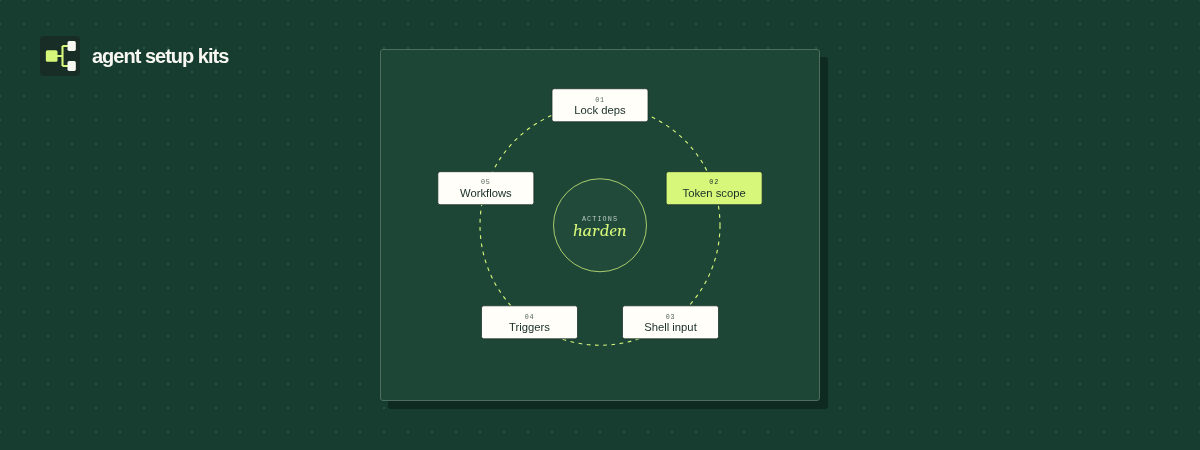
Before you let an AI agent run inside GitHub Actions, lock your workflow's action dependencies, set the GITHUB_TOKEN to read-only by default, and keep pull request text out of your shell scripts. An agent workflow reads untrusted content and often holds write access, so the usual Actions hardening matters even more.
This guide turns GitHub's Secure use reference into a checklist for agent workflows, such as automated pull request review.
Why agent workflows need extra care
A typical agent workflow is triggered by a pull request or issue, reads its text and the code, and then comments, edits or pushes. Each step carries risk:
- The input is untrusted. Anyone who can open a pull request controls its title, body and diff. For an agent, that text is also a prompt injection channel. OWASP's LLM01:2025 calls this indirect injection: instructions hidden in content the model reads.
- The job holds credentials. GitHub notes that a compromised action in a workflow "would have access to all secrets configured on your repository, and may be able to use the
GITHUB_TOKENto write to the repository." - The tools can write. Our Claude PR review kit flags that its progress-tracking mode enables workspace edits and Git commit and push, so "this is not a comments-only profile."
You can't make the model immune to injected text. You can limit what the job is allowed to do when it's fooled.
1. Lock your action dependencies
GitHub now calls a workflow dependency lockfile "the strongest protection available," and says it supersedes SHA pinning for repositories that adopt it.
The problem it solves: a reference like uses: octo-org/deploy-action@v3 resolves to whatever commit the tag points to at run time. GitHub's lockfile documentation warns that if a maintainer's account is compromised and a tag is repointed, "your repositories could run malicious code."
How it works:
- The lockfile lives at
.github/workflows/actions.lock. It's generated by thegh actions-lockGitHub CLI extension and should never be edited by hand. - It records the exact commit for every action, including transitive dependencies, plus the numeric owner and repository IDs, which GitHub checks at run time.
- A locked commit that exists only in a fork, or is no longer reachable from its recorded branch or tag, is rejected.
Know the limits. A lockfile doesn't pin reusable workflow calls (reference those by full commit SHA), and it doesn't control inputs, secrets or the runner image.
If you can't adopt a lockfile yet: pin each action to a full-length commit SHA, and check that the SHA comes from the action's own repository, not a fork. Pin to a tag only if you trust the creator, because tags can be moved or deleted.
One trade-off to know: GitHub's docs say Dependabot only alerts on vulnerable actions that use semantic versioning, "and will not create alerts for actions pinned to SHA values." If you pin, watch updates another way. Lockfiles give Dependabot a machine-readable record to work with.
Pin the agent itself, too
Locking actions doesn't fix the version of the agent your workflow installs. If a step runs npm install -g some-agent-cli with no version, the next run can pick up a new release with new defaults.
- Packages: install an exact version. npm's docs say
npm install <name>@<version>installs "the specified version of the package" and fails if that version isn't published. Commit the lockfile for anything installed from your ownpackage.json. - Container images: reference them by digest, not only by tag. Docker's docs say pulling by digest lets you "pin" an image and "guarantee that the image you're using is always the same."
- Record what you pinned. Note each version and the date you checked it in the workflow or README, so a reviewer can see what changed when you bump it. Treat a bump as a change that needs a reviewed pull request.
2. Give the token the least privilege
GitHub's advice is to "set the default permission for the GITHUB_TOKEN to read access only for repository contents," then raise permissions only for the specific jobs that need them.
For an agent workflow:
- Default the workflow to read-only.
- Grant write permissions (for example, to comment on pull requests) only in the job that posts.
- Don't give the agent's job push or workflow-edit rights unless that's the point of the kit, and you've accepted that risk.
- For cloud access, use OpenID Connect so you can stop storing long-lived cloud credentials as secrets.
- Protect sensitive secrets with environment required reviewers, so a job can't read them until someone approves.
Remember GitHub's warning: anyone with write access to a repository has read access to all its secrets.
3. Keep untrusted text out of shell scripts
This is classic script injection, and agents don't remove it. If a workflow puts ${{ github.event.pull_request.title }} straight into a run: script, an attacker can craft a title that runs commands.
GitHub recommends two fixes:
- Pass the value to an action as an input, so it never becomes part of a generated shell script.
- For inline scripts, use an intermediate environment variable:
- name: Check PR title
  env:
    TITLE: ${{ github.event.pull_request.title }}
  run: |
    if [[ "$TITLE" =~ ^octocat ]]; then
      echo "PR title starts with 'octocat'"
    fi
The value is then held in memory as a variable and doesn't touch script generation. The same rule applies to anything the agent produces: treat model output as untrusted before it reaches a shell.
4. Be careful with privileged triggers
pull_request_target and workflow_run run in a privileged context. GitHub says they can share the main branch's cache, may have write access and secrets, and when combined with checking out an untrusted pull request, the vulnerability "can be exploited to take over a repository."
- Avoid
pull_request_targetunless the workflow truly needs privileged context. - Never explicitly check out untrusted code, including from forks, in these workflows.
- Treat artifacts from other workflows with caution in
workflow_runjobs.
5. Watch the workflow files themselves
- Add
.github/workflowsto CODEOWNERS so changes need a designated reviewer. - Turn on CodeQL scanning for Actions workflows, which GitHub says can detect potentially vulnerable workflows. OpenSSF Scorecards can help too.
- Audit the source of every third-party action: check that secrets aren't sent to unexpected hosts or written to logs.
- Never store structured data (JSON, YAML) as a single secret. GitHub says it can break log redaction.
The takeaway
An agent in CI is a program that reads attacker-controlled text while holding your repository's keys. Lock the code it runs, shrink the token it holds, keep untrusted strings out of shells and avoid privileged triggers on untrusted pull requests. Then the worst case of a fooled model is a bad comment, not a compromised repository.
Next step: read the setup notes in our Claude PR review kit with this checklist in hand, or find an agent for the job.
Sources and credits
All sources checked 28 Oct 2026.
- GitHub Docs, Secure use reference: https://docs.github.com/en/actions/reference/security/secure-use
- GitHub Docs, Workflow dependency lockfiles: https://docs.github.com/en/actions/concepts/security/workflow-dependency-lockfiles
- OWASP Gen AI Security Project, LLM01:2025 Prompt Injection: https://genai.owasp.org/llmrisk/llm01-prompt-injection/
- npm Docs, npm install: https://docs.npmjs.com/cli/v11/commands/npm-install
- Docker Docs, docker image pull (pull an image by digest): https://docs.docker.com/reference/cli/docker/image/pull/
- Agent Setup Kits, Claude PR review kit: https://agentsetupkits.com/kits/claude-pr-review/
This guide is independent and not affiliated with or endorsed by GitHub, OWASP, npm or Docker. Found something out of date? Tell us through submit. How this site checks claims is on verification.
Good setups, worth keeping. Request email updates on the home page, then confirm by email. No subscription starts until you confirm.