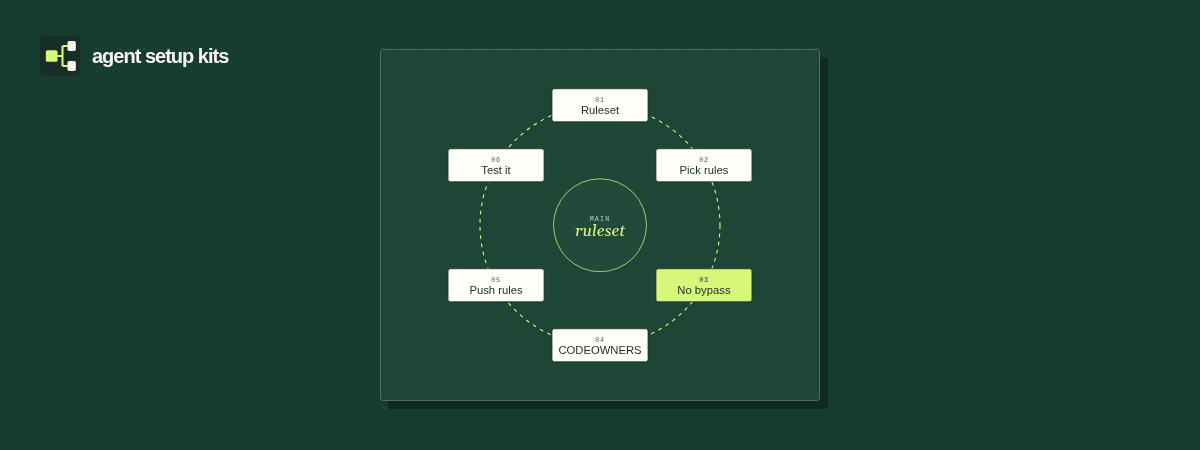
To stop an AI coding agent from pushing straight to your main branch, create a GitHub branch ruleset that targets the default branch, requires a pull request, requires your checks to pass and blocks force pushes, and leave the agent off the bypass list. Add a CODEOWNERS file so changes to sensitive paths also need a named human's approval.
A least-privilege token limits what an agent can reach. A ruleset limits what it can do to the branch that matters, even when it has write access. This guide follows GitHub's rulesets and code owners documentation, checked on 28 Oct 2026.
Why rulesets, and who can use them
GitHub describes a ruleset as "a named list of rules" that controls how people can interact with branches and tags (About rulesets). Three details make rulesets a good fit for agent setups:
- They stack. Rulesets have no priority. If several target the same branch, GitHub aggregates them and "the most restrictive version of the rule applies." They also layer with any classic branch protection rules you already have.
- Anyone with read access can see them. Contributors (and the people reviewing your agent setup) can check which rules apply without admin access.
- You can switch them off without deleting them. Enforcement can be Active or Disabled.
Plan check: rulesets are available for public repositories on GitHub Free, and for public and private repositories on GitHub Pro, Team and Enterprise Cloud. Push rulesets, covered below, are for private and internal repositories on the Team plan. You need admin access, or a custom role with the "edit repository rules" permission, to create one.
Step 1: create a branch ruleset for main
From GitHub's Creating rulesets for a repository:
- Open the repository and click Settings.
- In the left sidebar, under "Code, planning, and automation," click Rulesets.
- Click New ruleset, then New branch ruleset.
- Name it, for example
protect-main-from-direct-pushes. - Under "Target branches," add a target and include the default branch.
- Set enforcement to Active when you're ready. GitHub says an Active ruleset "takes effect immediately" when you click Create.
Step 2: pick the rules that matter for agents
From Available rules for rulesets:
- Require a pull request before merging. All changes must come through a pull request. GitHub notes the PR "doesn't necessarily have to be approved, but it must be opened," so even a solo maintainer gets a reviewable record of every agent change.
- Required approvals. Set a number of approving reviews from people with write permissions. For agent work, at least one human approval is the point.
- Dismiss stale approvals. When new commits change the diff, the approval is dismissed. GitHub says this is the safer choice if you're "concerned about pull requests being 'hijacked'" with unapproved content added after review. That's exactly the risk when an agent keeps pushing to an approved branch.
- Require approval of the most recent reviewable push. Someone other than the last person to push must approve.
- Require status checks to pass. Name your test or review jobs. If an app should be the only source of a check, GitHub lets you select it as the expected source, because otherwise "any person or integration with write permissions" can set a status.
- Block force pushes. Enabled by default. GitHub warns that a force push can "point a branch to commits that were not approved in a pull request."
- Restrict deletions. Selected by default, so only bypass actors can delete the branch.
Copilot note: GitHub has a public-preview setting, on by default, that requires one extra approval when Copilot opens a pull request that isn't attributed to a person. GitHub's reasoning applies to any agent: one approval usually means two people were involved, and that assumption breaks when an agent opens the PR under its own identity.
Step 3: keep the agent off the bypass list
Bypass can be granted to admins, the maintain or write roles, teams, GitHub Apps and Dependabot. Don't add your agent's app or account. If a trusted automation really needs to merge past the rules, GitHub offers a narrower option: set its bypass to For pull requests only. That actor then has to open a pull request, "creating a clear trail of their changes in the pull request and audit log," instead of pushing directly.
Step 4: add CODEOWNERS for sensitive paths
A ruleset's pull request rule can also require review from code owners. With that on, any PR touching code-owned content must be approved by a code owner before it merges (About code owners).
Create a file named CODEOWNERS in .github/, the repository root or docs/ on the branch you're protecting. GitHub uses the first one it finds in that order. A starter for agent setups:
# Humans must approve changes to automation and agent instructions
/.github/workflows/  @your-username
/AGENTS.md           @your-username
/.claude/            @your-username
Rules to know:
- Code owners must have write permission to the repository. Teams must be visible and have explicit write access.
- Order matters. In the docs' words, "the last matching pattern takes the most precedence."
- Paths are case sensitive, and a line with invalid syntax is skipped. Open the file on GitHub to see errors highlighted.
- The file must be under 3 MB or it won't load.
- Review requests use the CODEOWNERS file from the pull request's base branch.
Optional: push rulesets for private repos
On the Team plan, a push ruleset can block pushes to a private or internal repository, and its whole fork network, based on file paths, path length, file extensions and file size. A Restrict file paths rule such as .github/workflows/**/* stops any push that changes those files, not just pushes to main. Use it carefully: it applies to every push, including yours, unless you're on the bypass list.
Test it before you trust it
Ask your agent to commit a small change directly to main. The push should be rejected, and the agent should have to open a pull request. Then confirm the PR shows your required checks and asks for your review.
The takeaway
Give the agent a narrow token, then make main a gate it can't walk through: pull request required, checks required, a human approval, no force pushes, and no bypass for the agent. CODEOWNERS adds a second lock on workflows and agent instructions.
Next step: add an automated reviewer as one of those required checks with our Claude Code pull request review kit, or find an agent for the job.
Sources and credits
All sources checked 28 Oct 2026.
- GitHub Docs, About rulesets: https://docs.github.com/en/repositories/configuring-branches-and-merges-in-your-repository/managing-rulesets/about-rulesets
- GitHub Docs, Available rules for rulesets: https://docs.github.com/en/repositories/configuring-branches-and-merges-in-your-repository/managing-rulesets/available-rules-for-rulesets
- GitHub Docs, Creating rulesets for a repository: https://docs.github.com/en/repositories/configuring-branches-and-merges-in-your-repository/managing-rulesets/creating-rulesets-for-a-repository
- GitHub Docs, About code owners: https://docs.github.com/en/repositories/managing-your-repositorys-settings-and-features/customizing-your-repository/about-code-owners
- Agent Setup Kits, Automated Pull Request Reviews With Claude Code Action: https://agentsetupkits.com/kits/claude-pr-review/
This guide is independent and not affiliated with or endorsed by GitHub. Found something out of date? Tell us through submit. How this site checks claims is on verification.
Good setups, worth keeping. Request email updates on the home page, then confirm by email. No subscription starts until you confirm.