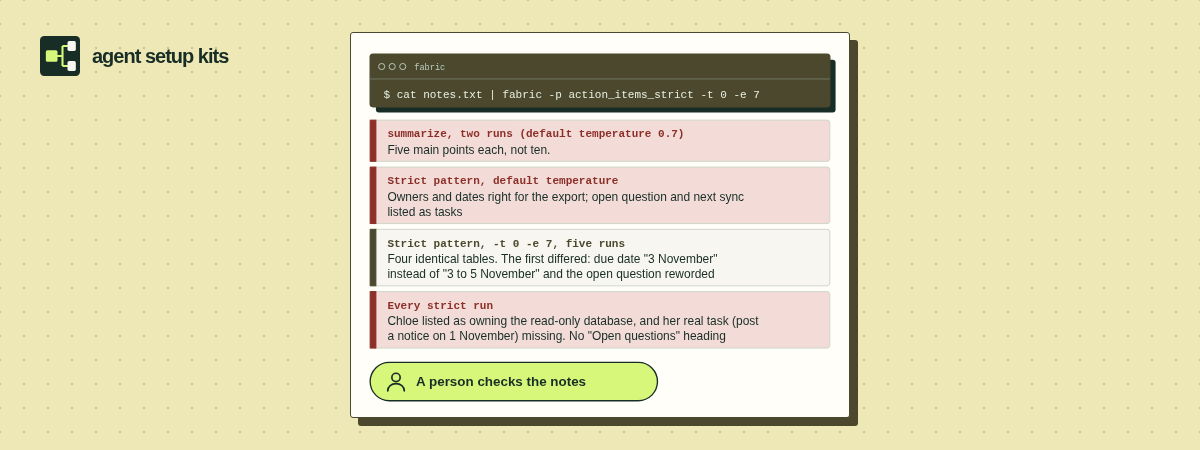
Fabric is an open-source command-line tool that runs saved prompts, called patterns, on any text you pipe into it, and release v1.4.557 works with a local model in Ollama. In our test, a strict custom pattern with temperature 0 and a fixed seed gave the same table in four of five runs, but every run credited a task to the wrong person and dropped another, so a person checks the output against the source.
The pattern drafts. A person compares it to the original before it goes anywhere.
What Fabric is (checked on 2026-10-30)
Fabric is a single Go binary. A pattern is a folder with a system.md prompt; the repo ships 265 of them, such as summarize and summarize_meeting. Release v1.4.557 came out on 2026-10-29. The licence is MIT.
Based on Fabric, by Daniel Miessler and contributors.
The setup at a glance
- Trigger: you pipe text into
fabric -p <pattern>. - Permissions: none beyond reading what you pipe in and calling your local Ollama.
- Output: Markdown on screen, or a file with
-o. - Human approval: a person reads each output against the source text before it's sent or saved anywhere shared.
Step 1: Install and point it at Ollama
Download fabric_Linux_x86_64.tar.gz (or your platform's build) from the release page and unpack it. fabric --setup walks you through the options interactively. The same settings live in ~/.config/fabric/.env:
DEFAULT_VENDOR=Ollama
DEFAULT_MODEL=qwen2.5:3b
OLLAMA_API_URL=http://127.0.0.1:11434
The qwen2.5:3b weights are under the "Qwen RESEARCH LICENSE AGREEMENT", for non-commercial use only; check the model card before any commercial use.
Then fetch the patterns and confirm the model:
fabric -U        # clones the patterns from the repo
fabric -L        # lists models; ours showed Ollama|qwen2.5:3b as default
Patterns are prompts written by other people, and -U replaces the built-in ones with whatever is in the repo today. Read a pattern's system.md before you trust it.
Step 2: Pipe text into a built-in pattern
cat notes.txt | fabric -p summarizeOur notes.txt was five lines of meeting notes with three owners and four dates.
Step 3: Write a strict custom pattern
Set CUSTOM_PATTERNS_DIRECTORY in the same .env file (or through fabric --setup), then add a folder with a system.md:
# IDENTITY and PURPOSE
You list the action items in meeting notes. Use only facts written in the input.
# OUTPUT
A Markdown table with the columns Task, Owner, Due. One row per action item in the input.
# RULES
- If the owner or due date is not written in the input, write "not stated". Never guess.
- List open questions with no decision under a heading "Open questions".
- Output nothing else.
# INPUT:
Custom patterns take priority over built-in ones with the same name, and -U leaves them alone. Check exactly what will be sent with --dry-run, then run it with a fixed temperature and seed:
cat notes.txt | fabric -p action_items_strict -t 0 -e 7What our test showed
| Run | Result |
|---|---|
summarize, two runs (default temperature 0.7) | Five main points each, not ten. Run 1 said "Ben and Chloe are responsible for these changes"; the takeaways mostly restated the points |
| Strict pattern, default temperature | Owners and dates right for the export; open question and next sync listed as tasks |
Strict pattern, -t 0 -e 7, five runs | Four identical tables. The first differed: due date "3 November" instead of "3 to 5 November" and the open question reworded |
| Every strict run | Chloe listed as owning the read-only database, and her real task (post a notice on 1 November) missing. No "Open questions" heading |
The built-in summarize pattern asks for 10 main points and 5 takeaways. With five lines of notes, our small model gave five points and padded the takeaways with repeats. Pick or write a pattern that fits the size of your input.
Things to know
--dry-runprints the full system prompt, your input and the model options without calling the model. It's the quickest way to see what a pattern does.-uscrapes a URL through Jina AI, a hosted service. We didn't use it, so nothing left the machine except the pattern download.- A fixed temperature and seed made most of our runs repeatable, not all of them. It didn't make them right.
- Fabric can also run as a REST server (
fabric --serve), with an Ollama-compatible mode where patterns appear as models. We didn't test either; if you try them, keep the server on localhost. - Keep your test notes. Rerun them after every Fabric or model update and compare the tables line by line.
Takeaway
Run Fabric v1.4.557 against Ollama, read each pattern before using it, write strict custom patterns for your own jobs, fix the temperature and seed, and check every output against the source.
Next step: take one note you wrote this week, run it through a custom pattern, and mark every line the output got wrong.
How we check the tools we list is on our verification page.
Good setups, worth keeping. Request email updates on the home page, then confirm by email. No subscription starts until you confirm. Or find an agent for the job.