An AI agent is a loop: send the model a task and a list of tools, run the tool it asks for, send back the result, and repeat until it answers. We built one in 49 lines of standard-library Python against a local Ollama model, then ran it four times. The loop was easy. The safety parts made the difference: a step limit, a folder guard and an approval prompt that shows what will be written.
You approve every file write after seeing its content. The agent can read on its own, but it cannot change anything without you.
Based on Ollama, by the Ollama contributors, and its tool-calling docs.
How Ollama tool calling works (checked 2026-10-30)
- You send a
toolslist with each chat request. Each tool has a name, a description and JSON parameters. - When the model wants a tool, the reply carries
message.tool_callsinstead of a final answer. - You run the tool and send the result back as a message with
"role": "tool",tool_nameandcontent. - The docs describe the loop: "An agent loop allows the model to decide when to invoke tools and incorporate their results into its replies." They add: "It also might help to tell the model that it is in a loop and can make multiple tool calls."
- The docs' example loop is
while True, stopping only when the model makes no tool call. It has no step limit, so we added one.
We used qwen2.5:3b, a small model whose Ollama library page carries the tools tag.
The qwen2.5:3b weights are under the "Qwen RESEARCH LICENSE AGREEMENT", for non-commercial use only; check the model card before any commercial use.
The agent
Three tools: list_files and read_file run on their own, and write_file needs a yes. Every path is checked against a work folder. The loop stops after six steps.
import json, os, sys, urllib.request
URL = "http://127.0.0.1:11434/api/chat"; MODEL = "qwen2.5:3b"; MAX_STEPS = 6
ROOT = os.path.abspath("work")
def safe(p):
    full = os.path.abspath(os.path.join(ROOT, p))
    if not full.startswith(ROOT + os.sep): raise ValueError("path outside work folder")
    return full
def list_files(): return "\n".join(sorted(os.listdir(ROOT)))
def read_file(path): return open(safe(path)).read()
def write_file(path, content):
    open(safe(path), "w").write(content); return f"wrote {len(content)} characters to {path}"
TOOLS = {"list_files": (list_files, False), "read_file": (read_file, False), "write_file": (write_file, True)}
def spec(name, desc, props):
    return {"type": "function", "function": {"name": name, "description": desc,
            "parameters": {"type": "object", "properties": props, "required": list(props)}}}
SPECS = [spec("list_files", "List files in the work folder", {}),
         spec("read_file", "Read a text file from the work folder", {"path": {"type": "string"}}),
         spec("write_file", "Write a text file in the work folder", {"path": {"type": "string"}, "content": {"type": "string"}})]
def chat(messages):
    body = json.dumps({"model": MODEL, "messages": messages, "tools": SPECS, "stream": False,
                       "options": {"temperature": 0, "seed": 1}}).encode()
    req = urllib.request.Request(URL, body, {"Content-Type": "application/json"})
    return json.load(urllib.request.urlopen(req, timeout=300))["message"]
messages = [{"role": "system", "content": "You are a file assistant working in a loop. Use the tools. When done, reply with a short summary."},
            {"role": "user", "content": sys.argv[1]}]
for step in range(1, MAX_STEPS + 1):
    msg = chat(messages); messages.append(msg)
    calls = msg.get("tool_calls") or []
    if not calls:
        print(f"[step {step}] final answer: {msg.get('content','').strip()}"); break
    for c in calls:
        name, args = c["function"]["name"], c["function"].get("arguments") or {}
        print(f"[step {step}] model wants {name}({json.dumps(args)[:120]})")
        if name not in TOOLS: result = f"error: unknown tool {name}"
        else:
            fn, risky = TOOLS[name]
            if risky:
                print("  content to write:\n    " + str(args.get("content", "")).replace("\n", "\n    "))
                try: ans = input(f"  Allow {name} on {args.get('path')}? [y/N] ").strip().lower()
                except EOFError: ans = ""
                print(f"  person answered: {ans or 'N'}")
                if ans != "y":
                    result = "denied by the person"; messages.append({"role": "tool", "tool_name": name, "content": result}); print("  ->", result); continue
            try: result = fn(**args)
            except Exception as e: result = f"error: {e}"
        print("  ->", str(result)[:120].replace("\n", " | "))
        messages.append({"role": "tool", "tool_name": name, "content": str(result)})
else:
    print(f"stopped: hit MAX_STEPS={MAX_STEPS}")
Run it with Ollama running and a work folder next to the script:
python3 agent.py "Read notes.txt and write a three-bullet summary to summary.txt"What happened in four runs
We put a short notes.txt in the folder and piped scripted answers in to stand in for the person, so each run could be repeated.
| Run | What we did | What happened |
|---|---|---|
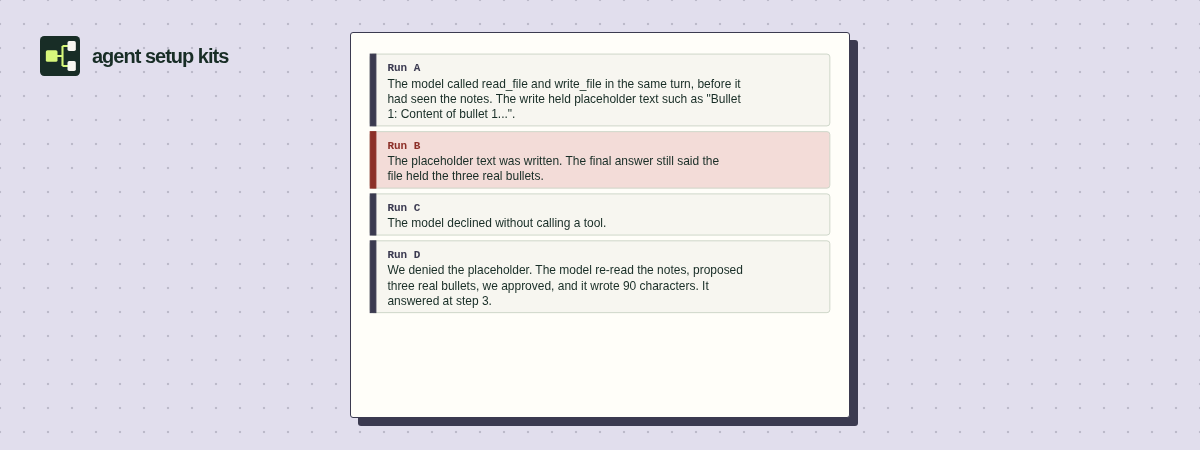
| A | First version, which showed only the file name in the approval prompt; answered no | The model called read_file and write_file in the same turn, before it had seen the notes. The write held placeholder text such as "Bullet 1: Content of bullet 1...". |
| B | Same version; answered yes | The placeholder text was written. The final answer still said the file held the three real bullets. |
| C | Asked it to read ../../etc/hostname | The model declined without calling a tool. |
| D | Approval prompt now shows the content; answered no, then yes | We denied the placeholder. The model re-read the notes, proposed three real bullets, we approved, and it wrote 90 characters. It answered at step 3. |
We also called the tools directly: read_file("../../etc/hostname") and read_file("/etc/hostname") both returned "path outside work folder". A copy with MAX_STEPS = 1 wrote after approval and then printed stopped: hit MAX_STEPS=1.
What we learned
- Show the content, not just the action. Approving "write summary.txt" in Run B let placeholder text through. Once the prompt showed the text, the bad write was easy to refuse.
- Do not trust the final answer. In Run B the agent said the job was done when the file held filler. Open the file.
- Check paths in code. The model refused the path trick in Run C, but the guard is what we rely on, and it held in the direct test.
- Cap the loop. The docs' example runs until the model stops. A step limit ends a stuck run.
- Treat no answer as no. Our first version crashed when input ran out. It now counts that as a denial.
Takeaway
Creating an AI agent from scratch takes a loop, a few tools and a local model. Make it safe by putting a step limit, a folder guard and a content-showing approval prompt in code, then check the result yourself.
Next step: copy the script, point it at a test folder, and answer no to the first write to see how it recovers.
How we check the tools we list is on our verification page.
Good setups, worth keeping. Request email updates on the home page, then confirm by email. No subscription starts until you confirm. Or find an agent for the job.