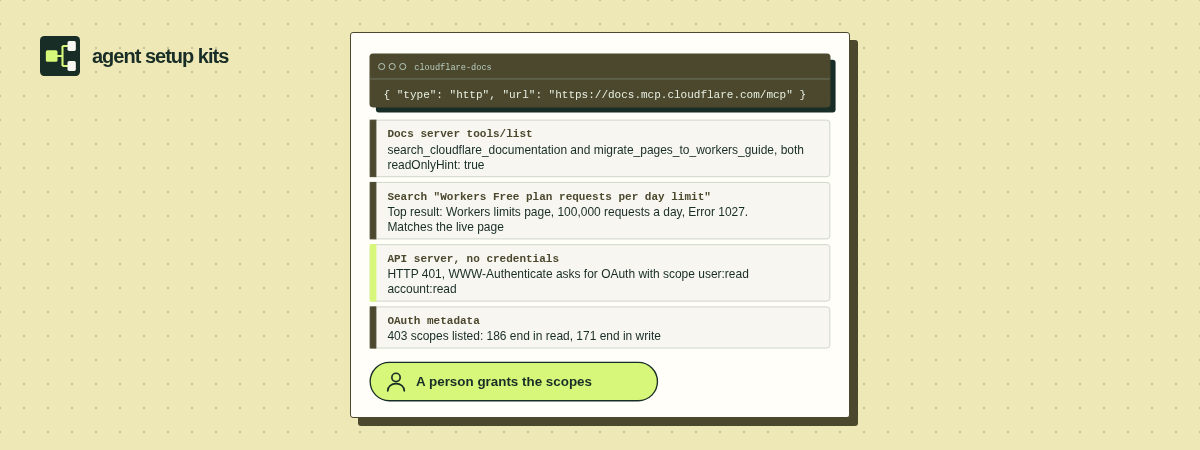
Cloudflare runs a set of remote MCP servers. Two of them answer Cloudflare questions with no account at all: the documentation server and the Agents SDK docs server. The rest, including the API server that can reach your whole account, ask for OAuth or an API token first. We connected to the docs servers with no key, checked an answer against the live docs page, and confirmed the account servers refuse a call without credentials. Start with the docs, and let a person choose what account access to grant.
The agent looks things up and proposes changes. A person grants account access, picks the permissions, and approves any change.
What Cloudflare's MCP servers are (checked on 2026-10-30)
Cloudflare's servers page (last updated Oct 27, 2026) lists one API server at https://mcp.cloudflare.com/mcp plus product servers. Each one uses a Streamable HTTP endpoint at /mcp. The page says they support the MCP 2026-07-28 spec and stateless requests from 2025 clients.
The API server exposes the whole Cloudflare API through two tools, search and execute. The agent writes JavaScript that runs in a sandbox. Cloudflare says this takes about 1,000 tokens of context, compared with far more if every endpoint were its own tool. We did not test it, because it needs a Cloudflare account.
The mcp-server-cloudflare README marks several older product servers as deprecated, including Observability, Audit Logs, Logpush and Radar, and points users to the API server instead. It also says some features may need a paid Workers plan.
Based on Cloudflare's MCP servers, by Cloudflare (Apache-2.0), with the API server in cloudflare/mcp.
The setup at a glance
- Trigger: an agent needs to answer a Cloudflare question, or later, read or change something in your account.
- Permissions: the docs servers need none and only search public docs. The API server gets only the scopes a person selects in the OAuth screen, or the permissions on the API token they create.
- Output: doc excerpts with source URLs; with account access, API results.
- Human approval: a person decides whether to connect an account at all, picks the scopes on Cloudflare's consent screen, and approves any write the agent proposes before it runs.
Step 1: Add the docs servers, no account needed
Most MCP clients accept a remote server by URL. Check your client's format:
{ "mcpServers": {
  "cloudflare-docs": { "type": "http", "url": "https://docs.mcp.cloudflare.com/mcp" },
  "cloudflare-agents-docs": { "type": "http", "url": "https://agents.cloudflare.com/mcp" }
} }
Use /mcp. The old /sse URL now returns 410 Gone with a message pointing to /mcp.
Step 2: Check one answer against the source
Each result carries the URL it came from. Open it before the agent relies on the answer, especially for limits and prices.
Step 3: Grant account access only when needed
When you add https://mcp.cloudflare.com/mcp, your client sends you to Cloudflare to sign in and select permissions. Choose read scopes first. The README says that if a call needs a scope you did not grant, the server asks the client to re-authorize with that scope added, so a person sees the request and can say no. For automation, an API token with narrow permissions works as a bearer token.
What our test showed
| Check | Result |
|---|---|
Docs server tools/list | search_cloudflare_documentation and migrate_pages_to_workers_guide, both readOnlyHint: true |
| Protocol negotiated | 2026-07-28 in auto mode, 2025-11-25 in legacy mode, same two tools |
| Agents SDK docs server | One tool, search-agent-docs (query, k), no annotations; negotiated 2025-11-25 in both modes |
| Search "Workers Free plan requests per day limit" | Top result: Workers limits page, 100,000 requests a day, Error 1027. Matches the live page |
| Search on scoping an API token to read-only DNS | Top results were internal DNS setup pages; the permissions reference came lower |
| Agents docs search "human in the loop tool approval" | Top result: the Agents SDK human-in-the-loop doc. The full file, opened from its link, has Approve and Reject buttons; Reject sends approved: false and the tool is denied |
| API server, no credentials | HTTP 401, WWW-Authenticate asks for OAuth with scope user:read account:read |
| Observability server, no credentials | HTTP 401, OAuth required |
| OAuth metadata | 403 scopes listed: 186 end in read, 171 end in write |
The docs search answers well when your words match the page. For a how-to question, read past the first result.
Things to know
- The docs servers are free to call and need no sign-in, but your questions go to Cloudflare.
- The API server can reach almost the whole Cloudflare API. Its scope list is long, so pick read scopes first and add write scopes only for a task a person has approved.
- The Agents SDK docs server lives in a separate repo and returned no read-only hints, though it only searches docs.
- If your setup still uses a deprecated product server, plan the move to the API server.
Takeaway
Cloudflare's docs servers are an easy, keyless first step. Check answers against the linked page, and when the agent needs your account, have a person grant read scopes first and approve every change.
Next step: add the docs server to your client, ask it one question you already know the answer to, and open the source URL it returns.
How we check the tools we list is on our verification page.
Good setups, worth keeping. Request email updates on the home page, then confirm by email. No subscription starts until you confirm. Or find an agent for the job.