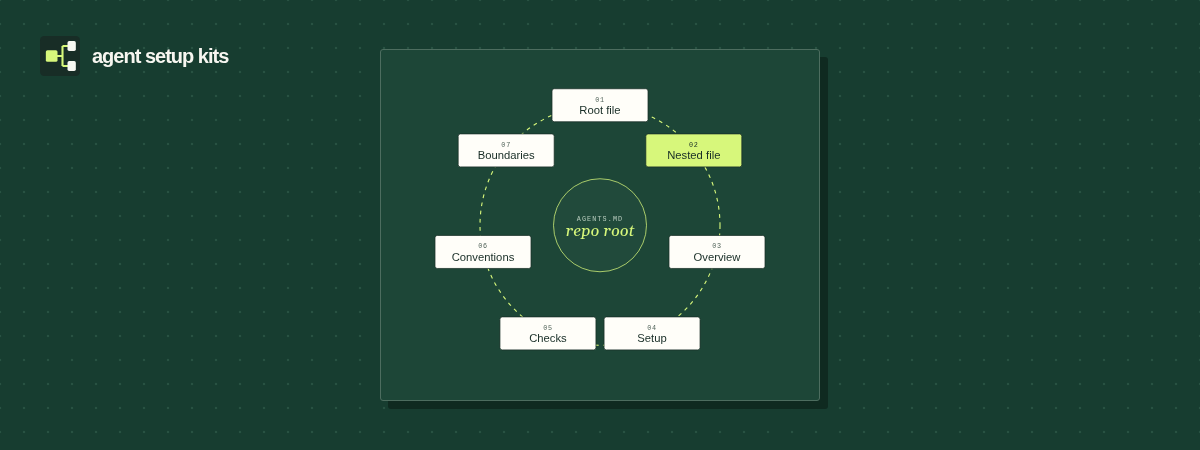
An AGENTS.md file is a plain Markdown file at the root of your repository that tells coding agents how to work in it: how to build, how to test, and what conventions to follow. Put it at the repo root, list the exact commands an agent should run, and add nested AGENTS.md files only where a subproject genuinely works differently.
This guide covers what the format is, how agents find and combine the files, and what to put in yours. It uses Codex CLI as the worked example because its discovery rules are documented in detail.
What AGENTS.md is (and is not)
The AGENTS.md project describes it as a complement to README.md. The README stays for humans: quick starts, descriptions, contribution notes. AGENTS.md holds the extra context a coding agent needs, such as build steps, tests and conventions, that would clutter a README.
Three facts matter before you write one:
- There are no required fields. The site's FAQ says it is "just standard Markdown". Use any headings you like.
- It is shared across tools. The project lists support from a long list of agents and editors, including OpenAI's Codex, Google's Jules and Gemini CLI, Cursor, Aider, Zed, VS Code and GitHub Copilot's coding agent. Some need a setting: the FAQ shows Aider reading it through
read: AGENTS.mdin.aider.conf.yml, and Gemini CLI through"context": { "fileName": "AGENTS.md" }in.gemini/settings.json. - It is guidance, not enforcement. Our Codex CLI kit puts it plainly: rules such as "do not push or deploy" in AGENTS.md are model guidance. Enforcement lives in the sandbox, approval policy and token permissions around the agent.
That last point shapes everything below. Write AGENTS.md to make the agent effective. Use the agent tool's own controls to make it safe.
Where the file goes and how precedence works
Start with one file at the repository root. The agents.md site recommends nested files for large monorepos: put another AGENTS.md inside each package, and agents read the nearest one in the directory tree, so the closest file takes precedence. According to the same FAQ, explicit user prompts in chat override everything.
How Codex builds its instruction chain
OpenAI's Codex documentation spells out the order Codex follows once per run:
- Global scope. In the Codex home directory (
~/.codexunlessCODEX_HOMEis set), Codex readsAGENTS.override.mdif it exists, otherwiseAGENTS.md. Only the first non-empty file at this level is used. - Project scope. From the project root (usually the Git root) down to the current working directory, Codex checks each directory for
AGENTS.override.md, thenAGENTS.md, then any configured fallback names. It includes at most one file per directory. - Merge order. Files are concatenated from the root down. Files closer to the working directory appear later, so they override earlier guidance.
Codex skips empty files and stops adding files once the combined size reaches project_doc_max_bytes, which is 32 KiB by default. If you hit the cap, the docs suggest raising the limit or splitting instructions across nested directories.
Two practical consequences:
- An override file hides its sibling. If
services/payments/contains bothAGENTS.override.mdandAGENTS.md, Codex uses the override and ignores the other. - Directories below the working directory are not read. Codex stops searching at your current directory, so place specialised rules as close to that work as possible and start the agent from there.
Other agents may resolve files differently. Check your tool's documentation rather than assuming Codex's rules apply.
What to put in it
The agents.md site lists the sections people use most: project overview, build and test commands, code style, testing instructions and security considerations. A useful file answers the questions a new teammate would ask on day one, with commands they can paste.
A compact starting point:
# AGENTS.md

## Project overview
Astro site. Content lives in src/content/, components in src/components/.

## Setup
- Install: `pnpm install`
- Dev server: `pnpm dev` (port 4321)

## Checks (run all before finishing)
- `pnpm lint`
- `pnpm test`
- `pnpm build`

## Conventions
- TypeScript strict mode. No default exports in components.
- New pages need a title under 60 characters and a meta description.

## Boundaries
- Do not edit files in dist/ or generated/.
- Do not add production dependencies without asking.
- Never commit secrets or .env files.
Write commands, not intentions
The agents.md FAQ says agents will try to run the checks you list and fix failures before finishing. That makes exact commands the most valuable lines in the file. "Make sure tests pass" leaves the agent guessing. "Run pnpm test --filter web" does not.
Keep it short enough to fit
Every byte competes for the same context budget, and in Codex for the 32 KiB default cap across all files in the chain. Link to longer docs instead of pasting them, and move package-specific detail into that package's own file.
Treat it as living documentation
When an agent repeatedly makes the same mistake, add one line that prevents it. When a command changes, update the file in the same pull request. The agents.md FAQ explicitly encourages updating it over time.
How to verify your AGENTS.md
Do not assume the agent loaded what you wrote. Codex's docs give a direct test: run it with a prompt such as "Summarize the current instructions" or "List the instruction sources you loaded" and check that it quotes your global file first, the root file second and any nested override last.
Then run one small real task and check three things:
- Did it run the exact check commands you listed?
- Did it respect the boundaries section?
- Where it didn't, is there a control in the agent tool (sandbox, approval prompt, read-only token) that would have stopped it anyway?
If the answer to the third question is no, fix those controls first. An instruction file is also text the model reads, and OWASP's LLM01: Prompt Injection entry recommends least-privilege access and human approval for high-risk actions precisely because instructions alone can be overridden. Review changes to AGENTS.md in pull requests the way you would review CI config.
The takeaway
Write one root AGENTS.md with the commands an agent must run and the boundaries it should respect. Add nested files only where a subproject truly differs, keep the chain small, and confirm what was loaded before trusting it. Then put the hard limits in the sandbox and permissions, not in prose.
Next step: see how a real setup uses it in the Codex CLI kit, or find an agent for the job in the setup library.
Sources and credits
All sources checked 28 Oct 2026.
- AGENTS.md project site and FAQ, stewarded by the Agentic AI Foundation under the Linux Foundation: https://agents.md/
- OpenAI, "Custom instructions with AGENTS.md" (Codex docs): https://developers.openai.com/codex/guides/agents-md
- Agent Setup Kits, Codex CLI kit: https://agentsetupkits.com/kits/codex-cli/
- OWASP Gen AI Security Project, LLM01:2025 Prompt Injection: https://genai.owasp.org/llmrisk/llm01-prompt-injection/
This guide is independent and not affiliated with or endorsed by any of these projects. Found something out of date? Tell us through submit. How this site checks claims is on verification.
Good setups, worth keeping. Request email updates on the home page, then confirm by email. No subscription starts until you confirm.